
Turnitin is an American originality verification software utility.
The developer’s website is available at: https://www.turnitin.com
Technical support for the Turnitin software is accessible online at: https://www.turnitin.com/self-service/support-form.html?okay=ok
Sources used by Turnitin for originality verification::
- The internet
- Over 178 million scholarly journal articles
- The developer’s proprietary document database
- Institutional repositories and external databases (e.g., Dabar, Hrčak)
The procurement of Turnitin originality software licences for public higher education institutions in the science and education sector is funded by the Ministry of Science and Education through the University Computing Centre (SRCE) budget; SRCE executes the procurement procedure and coordinates licence distribution and software utilisation. The active institutional licenses permit unlimited submissions for all enrolled students. Document verification (ranging from seminar papers to Bachelor’s, Master’s, and doctoral theses) can be initiated by academic staff, administrative personnel, and students alike, in accordance with institutional protocols and requirements.
Turnitin Software Portal – Link
Login and Document Submission Procedure for Originality Verification
Authentication requires an AAI@EduHr user account.
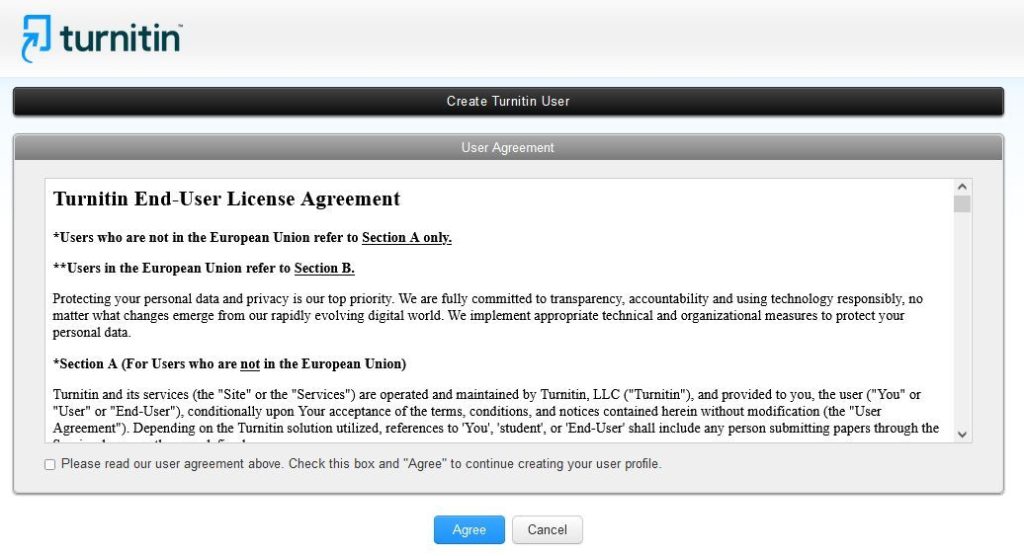
- Upon initial login, users must accept the User Agreement (Figure 1):
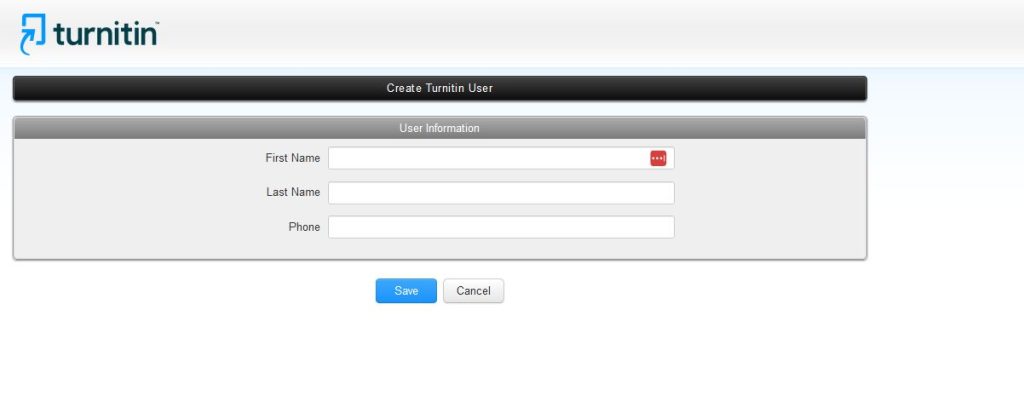
- Following acceptance of the agreement, personal details must be entered; providing a telephone number is optional (Figure 2):
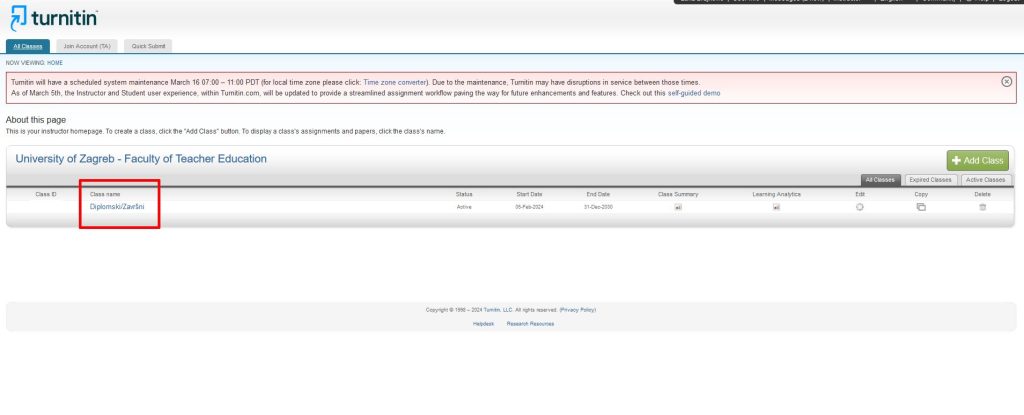
- The next step requires enrollment in the “Master’s/Bachelor’s” (Class name) (Figure 3):
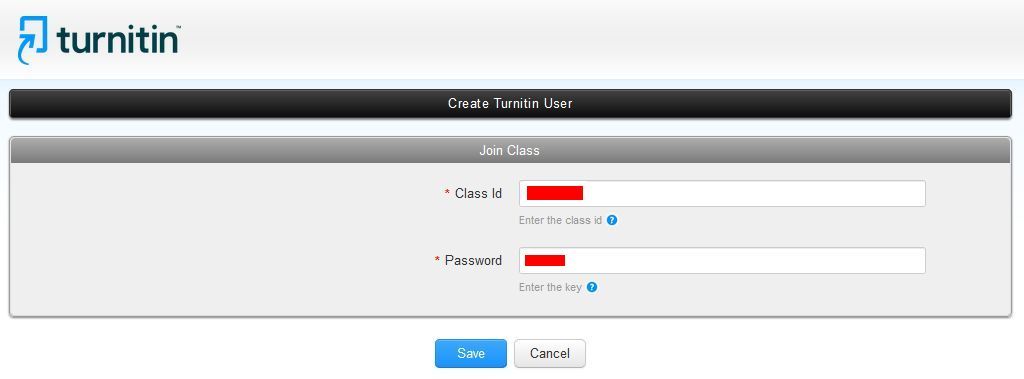
- The system will prompt for a Class ID (Class ID) and Password (Password)
- These credentials must not be disclosed publicly; students can access them via AAIEdu@Hr authentication on the UFZG Document Portal (LINK)
- Enter these credentials into the designated fields (Figure 4):
- The interface will guide you through the document selection and submission process:
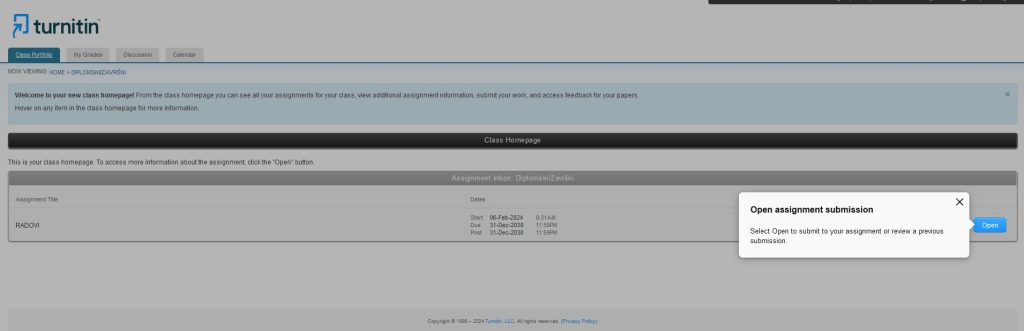
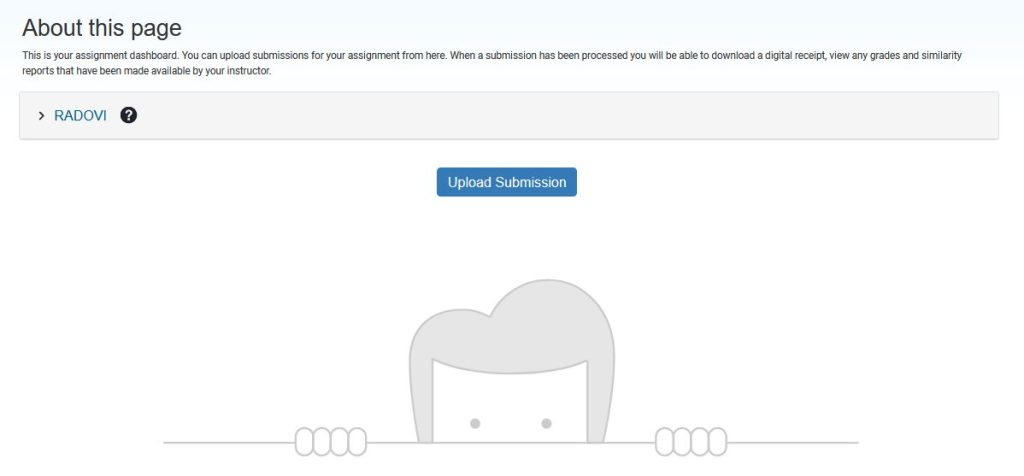
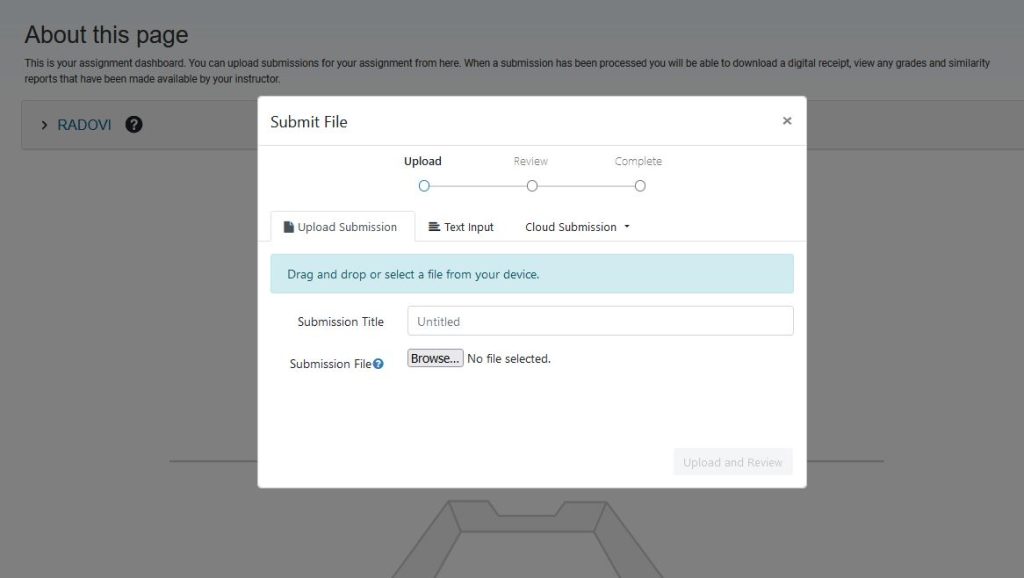
- When uploading a document from a local drive or cloud storage, the paper’s title must be entered in the (Submission Title), field (Figure 7):
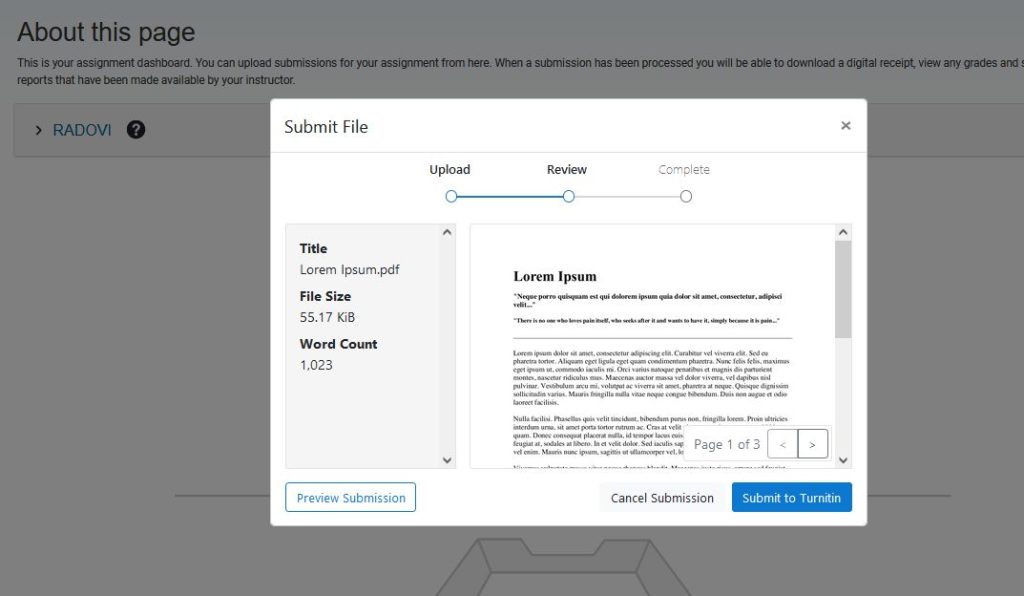
- Upon clicking (Submit to Turnitin), the automated originality verification process commences.
- Processing times vary significantly depending on the document parameters, ranging from several minutes to several hours.
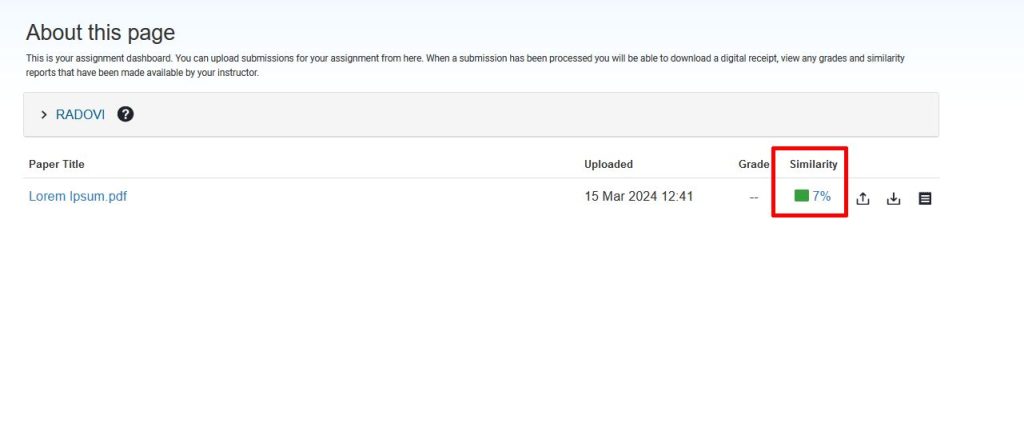
- Once verification is complete, the originality-similarity index percentage will be displayed.
- Clicking this percentage generates the similarity report, which is then available for download (Figure 9):
- For further inquiries, contact: turnitin@ufzg.hr
- Comprehensive guidelines and documentation from SRCE are available via the following link: https://www.srce.unizg.hr/spa